
Modify HTTP headers and requests. Pay once.
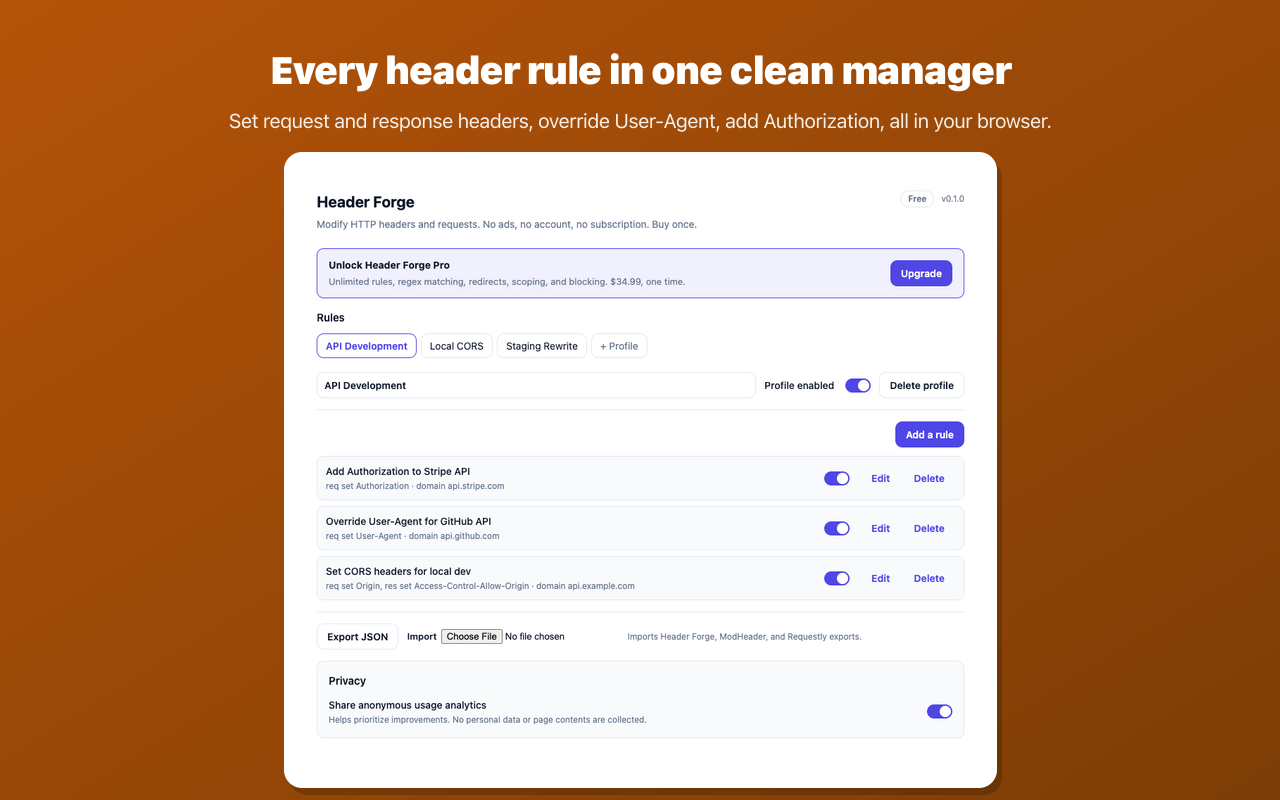
Header Forge sets request and response headers, redirects, and rewrites right in your browser. No ads, no account, no subscription, and nothing about your browsing leaves your device.
Add to Chrome Free to install. No account required.
Features
Request and response headers, free
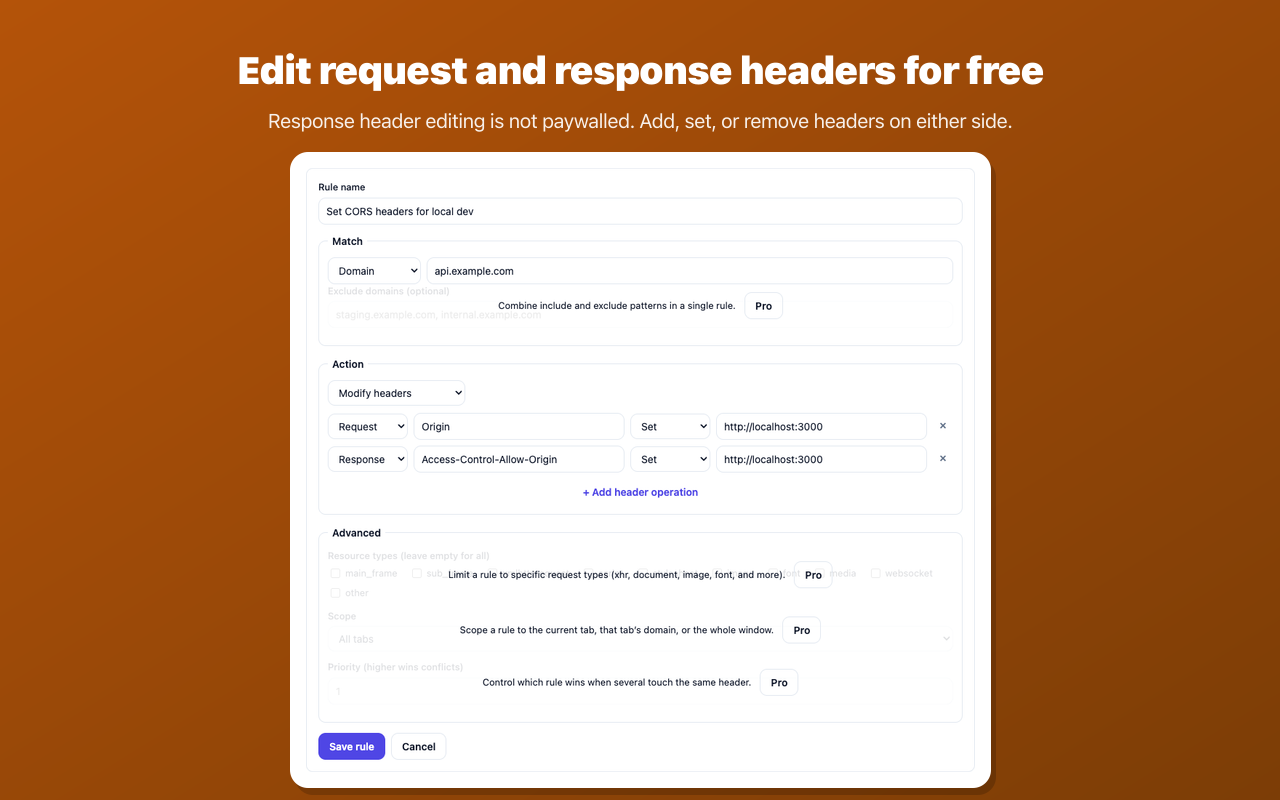
Set, add, or remove headers on both the request and the response. Response-header editing is part of the free tier here, not locked behind a paywall.
Pro power when you need it
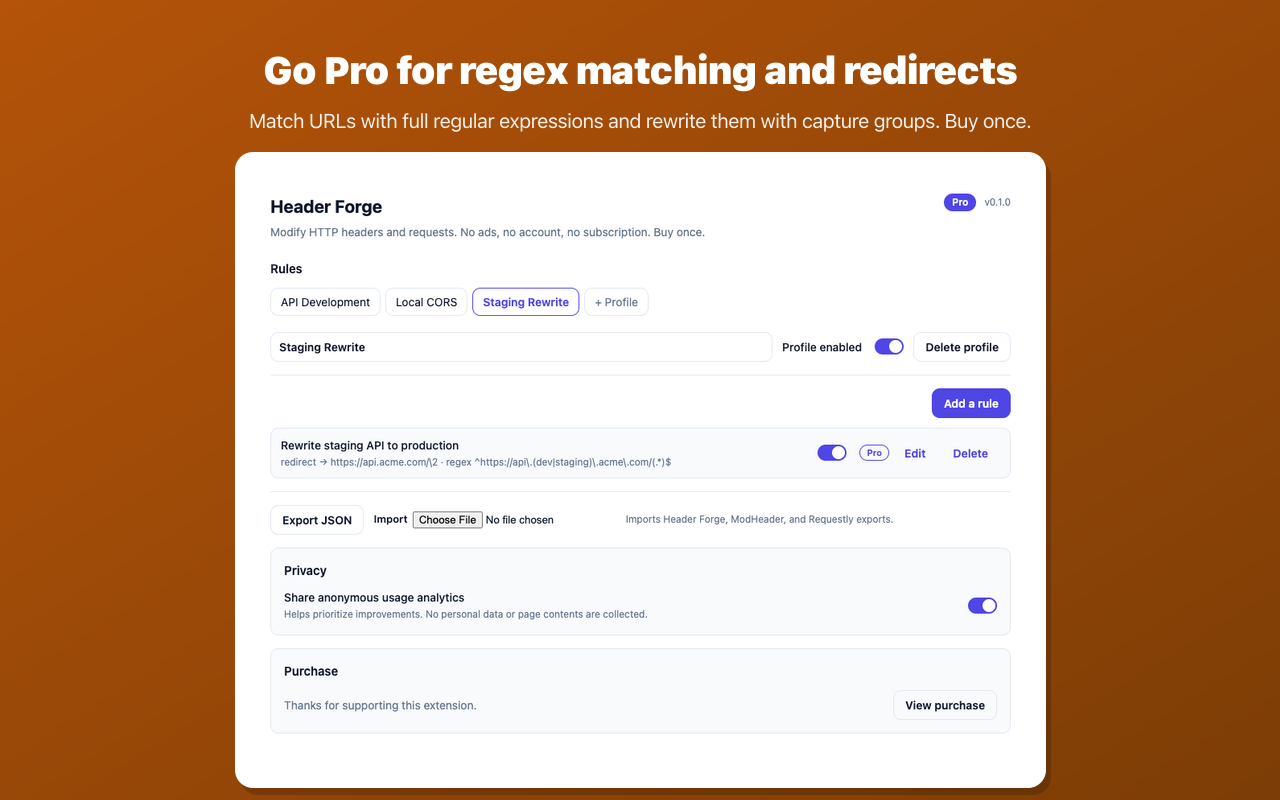
Unlock full regex URL matching, redirects and URL rewrites, per-tab and per-domain scoping, request blocking, and unlimited rules with a single one-time purchase.
Yours, with nothing in the way
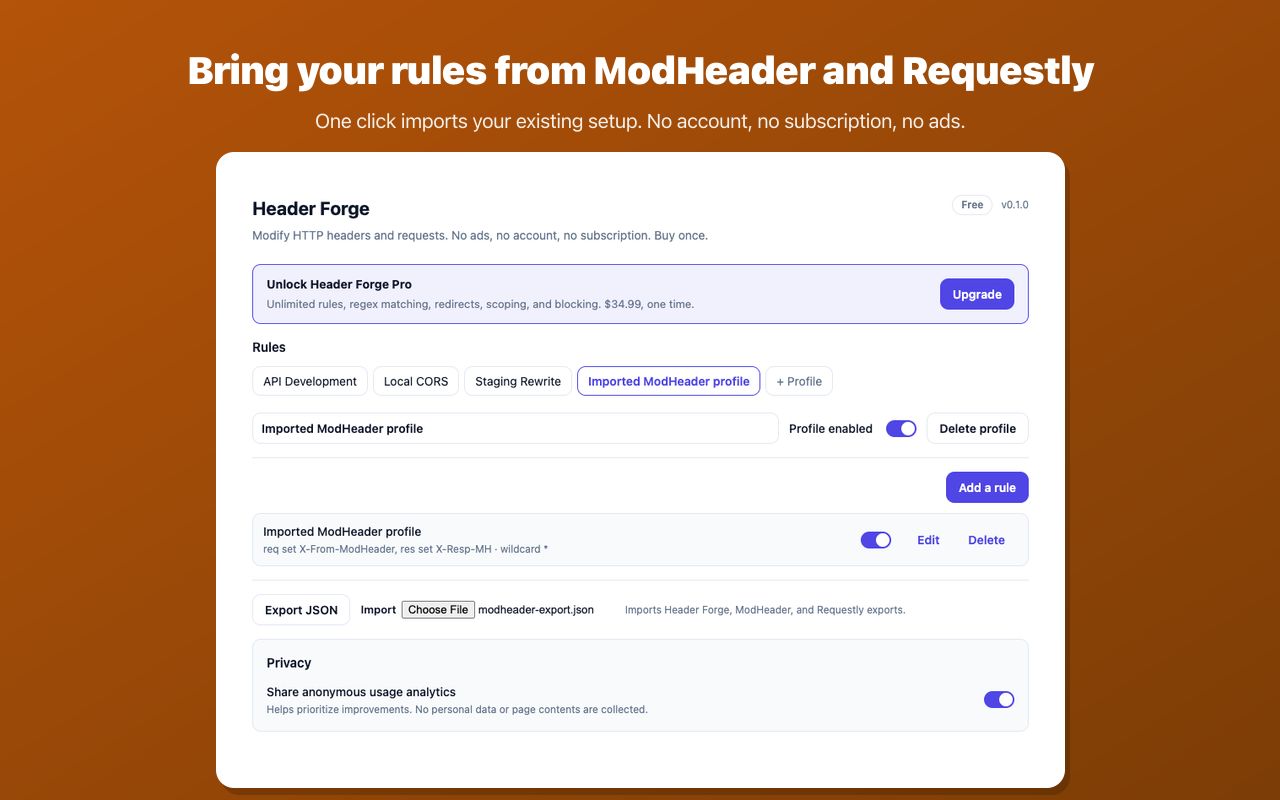
No ads, no account, no cloud. Import your ModHeader and Requestly rules in one click, then keep them running with no subscription and no read-only lockouts.
Screenshots
Pricing
Free
$0
- Request and response header editing
- Up to 20 rules and 5 profiles
- Domain, contains, and wildcard matching
- One-click ModHeader and Requestly import
Pro
$34.99 one time
- Everything in Free
- Unlimited rules and profiles
- Full regex matching and exclude patterns
- Redirects and URL rewrite with capture groups
- Per-tab, per-domain, and per-window scoping
- Request blocking and resource-type filters
Guides
Practical walkthroughs for the header and request tricks developers reach for every day, plus honest comparisons with the other tools in this category.
How to Modify HTTP Response Headers in Chrome
Set, add, and remove response headers locally, plus the limits declarativeNetRequest imposes.
How to Add an Authorization Header for Testing
Attach a Bearer token to the right requests only, and keep it from leaking everywhere else.
How to Override the User-Agent for One Site
Change the header for one domain, and understand why the JavaScript value still disagrees.
How to Fix CORS Errors in Local Development
Unblock localhost with the right response headers, handle preflight, and know which fix ships.
How to Test Security Headers Before You Ship
Try a CSP or a framing policy in your browser first, and avoid the HSTS test that locks you out.
ModHeader Alternative: An Honest Comparison
What ModHeader still does better, why people leave, and how to bring your rules over.
Requestly Alternative: An Honest Comparison
Requestly does far more than headers. When that scope is worth it, and when it is not.
Why Header Extensions Changed in Manifest V3
What replaced blocking webRequest, and which limits you are actually running into.
Frequently asked questions
How do I modify HTTP headers with Header Forge?
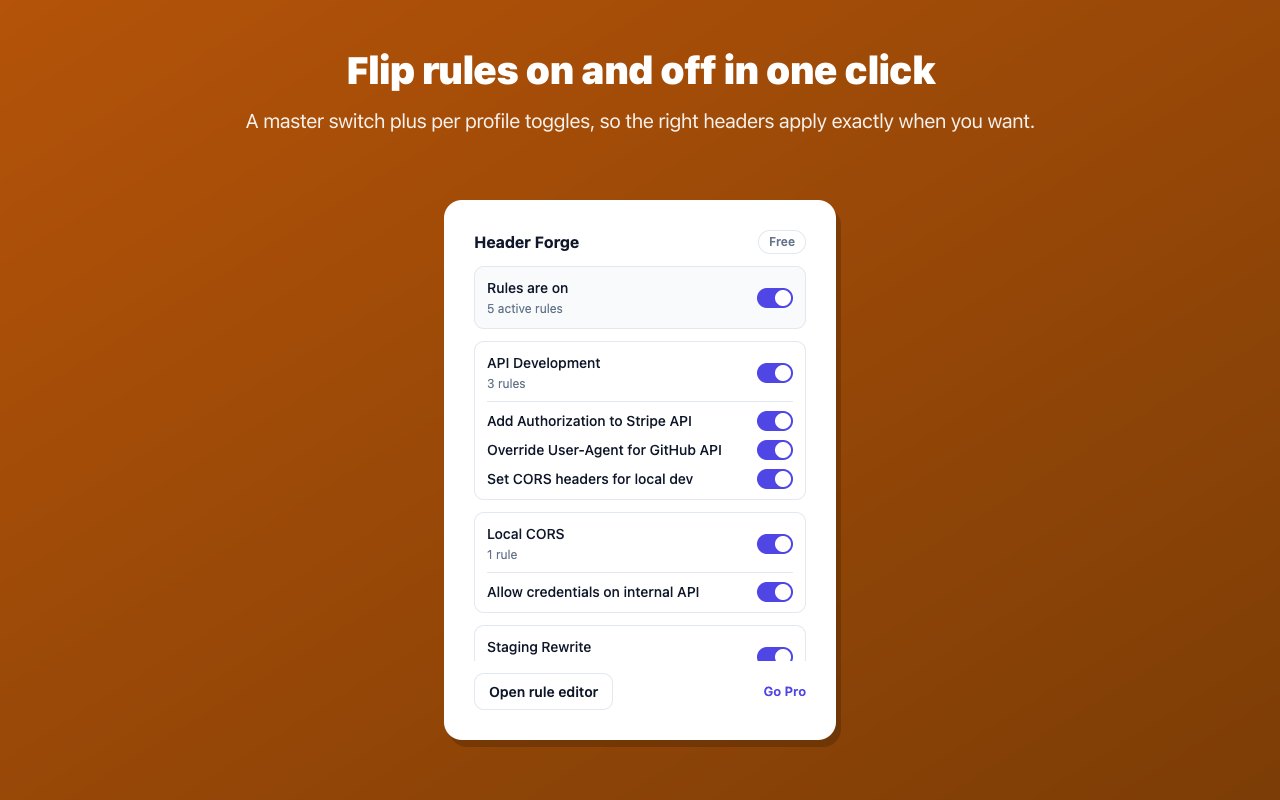
Install Header Forge, open the rule editor, and add a rule: pick how to match the URL (domain, contains, wildcard, or regex on Pro), then add header operations to set, add, or remove request or response headers. Turn the rule on and Header Forge applies it locally through Chrome's declarativeNetRequest engine. The first time you enable a rule, Chrome asks for access to the sites it touches.
Is Header Forge a good ModHeader alternative?
Yes. Header Forge does the core job ModHeader does, without the ads, without an account, and without paywalling response-header editing. It also imports your existing ModHeader rules in one click, so switching takes seconds.
Can I edit response headers for free?
Yes. Editing request and response headers is part of the free tier. You can set, add, or remove headers on both sides of a request without paying. Pro adds regex matching, redirects and rewrites, scoping, blocking, and unlimited rules.
Is Header Forge free?
The free tier is fully functional: up to 20 rules and 5 profiles, request and response header editing, domain, contains, and wildcard matching, and one-click import from ModHeader and Requestly. Pro is a single one-time purchase of 34.99 dollars that unlocks unlimited rules, regex matching, redirects, scoping, blocking, and resource-type filters. When you reach the free limit your existing rules keep running; we only ask you to upgrade before adding new ones.
What data does Header Forge collect?
Your rules and the pages and requests you modify stay in your browser. Header Forge uses declarativeNetRequest, so it applies your rules without reading or transmitting your traffic. The only network calls are an anonymous license check with ExtensionPay and a small set of anonymous usage events sent to Plausible Analytics, which you can opt out of in the options page. See the privacy policy for details.
Which browsers are supported?
Header Forge supports Google Chrome and other Chromium-based browsers that can install extensions from the Chrome Web Store.
How do I get support?
Email support@mongooselabs.dev and we will get back to you.